


Splitroll
A tool for half-frame film

splitroll

A small Windows app for half-frame film. It splits each scan into its two photos, keeps track of your rolls, and exports full-resolution files and contact sheets.

Free · Windows 10 & 11 · Version 1.3.0 · October 3, 2026 · 23 MB
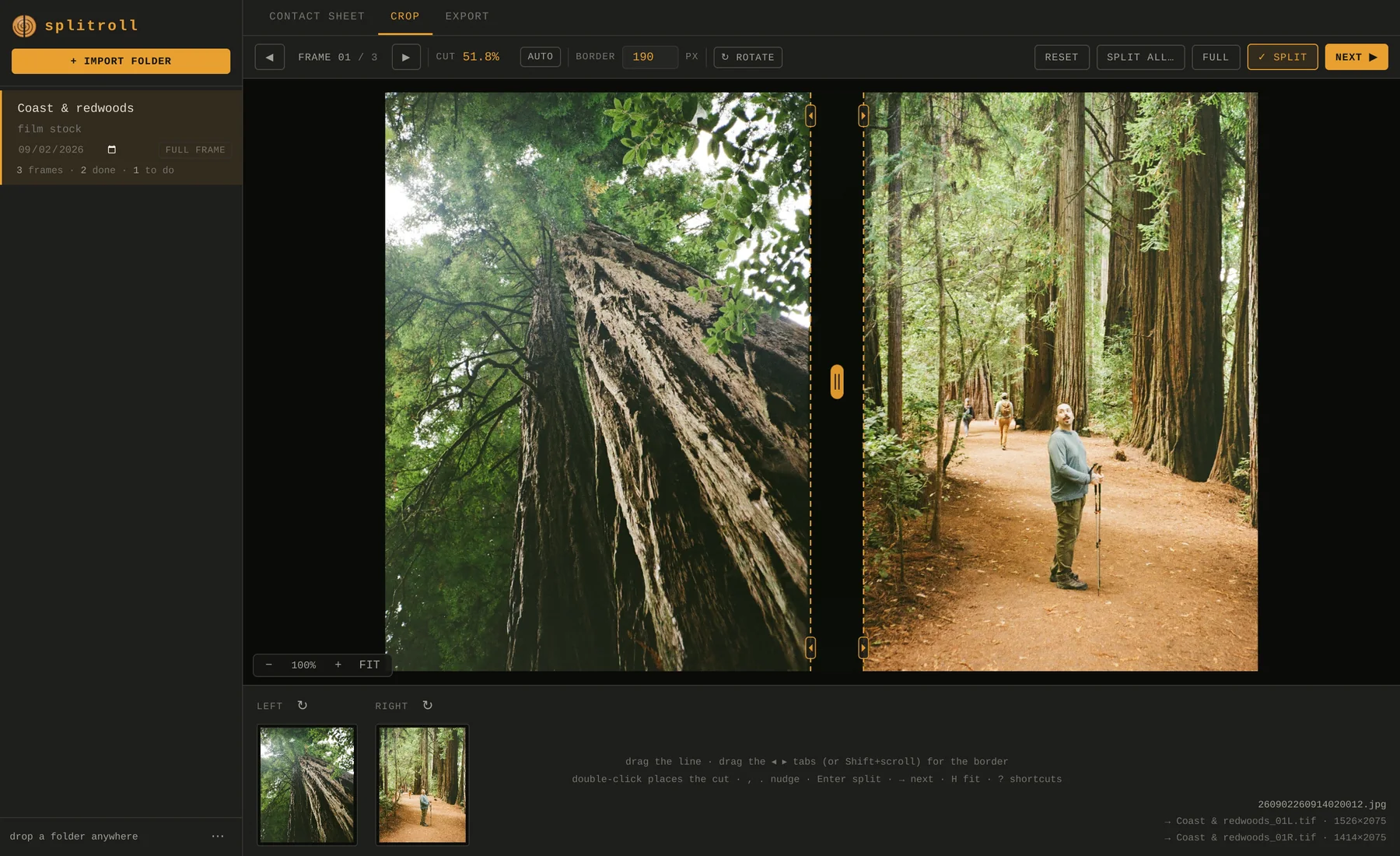
Splitroll's Crop view with a half-frame scan from the redwoods: a tree trunk shot from below on the left, a hiker on a forest trail on the right, and the cut line between them.
01Why I made it

Two photos on every frame.

I started shooting half frame on a Pentax 17 and got hooked. Each frame on the roll holds two vertical photos, so every scan from the lab comes back as a pair.

I wanted a clean, easy way to crop those scans, or leave them whole when a shot works better as one picture. I also wanted somewhere to keep track of my rolls, and a way to export hi-res contact sheets.

So I built Splitroll. It's a mix of two things I like doing: building tools and shooting film.

02How it works

Import, crop, export.

Drop in a folder of scans and it becomes a roll. Splitroll finds the gap between the two halves on each scan. You check it, adjust anything that's off, and export.

Import

A folder becomes a roll.

Drag a folder of scans onto the window. Splitroll looks for the gap between the two halves on every scan and sets the cut for you. The contact sheet shows the whole roll, so you can check it at a glance and fix several frames at once.

  • Name, date and film stock for each roll
  • Select like in File Explorer: drag, Ctrl, Shift, Ctrl+A
  • Your original scans are never changed
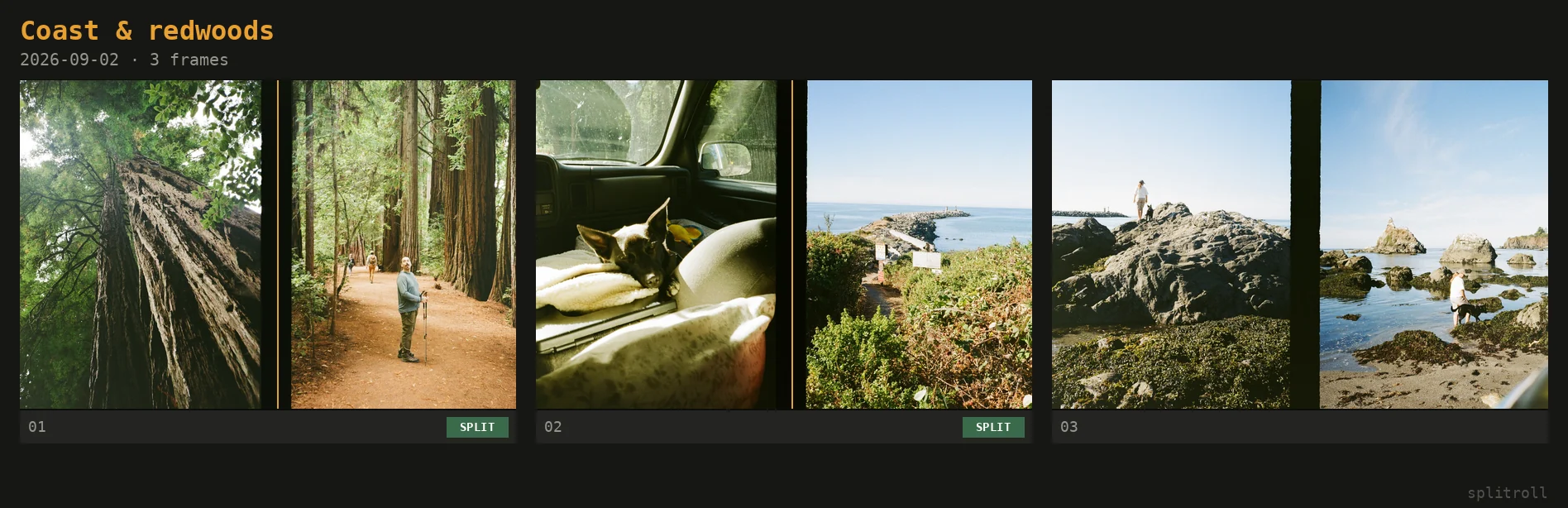
The contact sheet: a roll of three half-frame scans with the cut marked on each. Two are split, one is still pending.
Contact sheet, with your rolls listed on the left.
Crop

Split it or keep it whole.

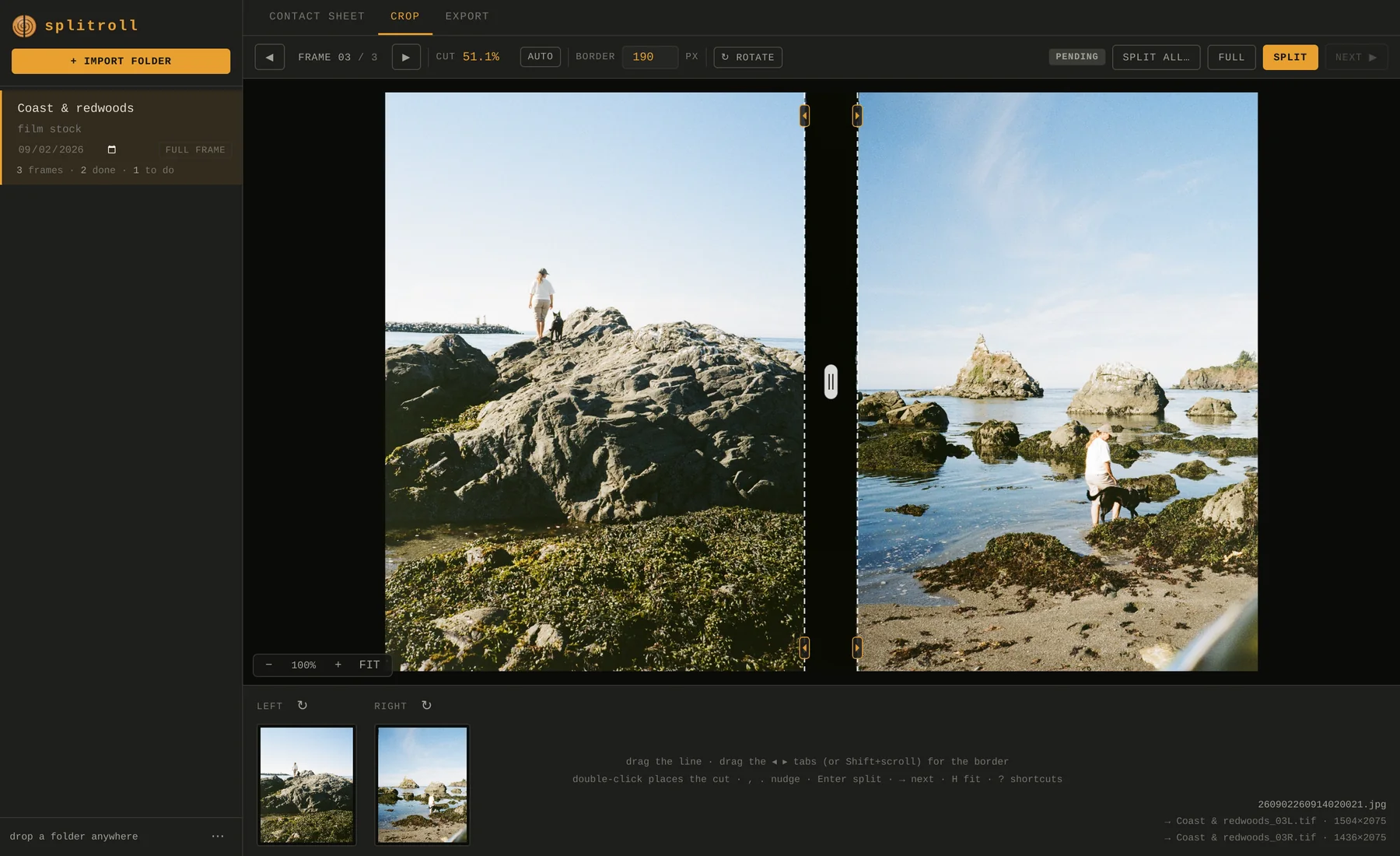
Drag the cut line, adjust the border with the tabs on either side, and rotate the scan or either half. If a shot runs across both frames, mark it Full and it exports as one image.

  • Enter split · F full · → next frame
  • , . nudge the cut · A re-detect
  • Ctrl+Z undoes anything, including an import
The Crop view with a beach scan waiting to be split: a person and a dog on a large rock on the left, and the same pair in a tide pool on the right.
Frame 03, ready to split.
Export

Full-quality files and contact sheets.

TIFF and PNG keep the 16-bit depth and colour profile. JPEG exports at quality 100 with no chroma subsampling. Files are named after the roll (ROLL_01L, ROLL_01R) or after the original scan. You can also export the whole roll as one contact sheet image.

An exported contact sheet: three half-frame scans in a row with frame numbers and status underneath, and the roll name and date at the top.
A contact sheet exported from Splitroll.
03 · Download

Free for Windows.

Windows 10 or 11. No account and no admin rights needed. Everything stays on your computer.

  1. Download splitroll-1.3.0-setup.exe and run it. It installs just for your user, so there's no admin prompt.
  2. The installer isn't code-signed yet, so Windows may show "Windows protected your PC". Click More info, then Run anyway.
  3. Open Splitroll from the Start menu and drag in a folder of scans.

Each release on GitHub lists a SHA-256 checksum if you want to verify the download. Coming from the old Mac version (halfframe 1.1)? Use ⋯ › Import v1.1 library.

04What's new

Changelog.

1.3.0LatestOctober 3, 2026

Contact sheet selection, like File Explorer

  • Drag to select, and Ctrl, Shift and Alt-click work the way you'd expect.
  • A new Select menu: pending, split, full, rotated, no gap detected.

A border you can drag

  • Drag the tabs on either side of the cut to widen or narrow it.

Undo an import

  • Imports and removed frames can be undone with Ctrl+Z.
All releases on GitHub →

Photos in the screenshots were shot on a Pentax 17.